
WordPress Mastery (Recorded) V1
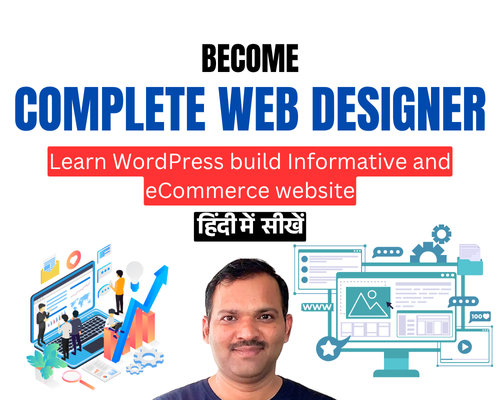
Master WordPress in just 45 working days — with full lifetime access to video lessons in Hindi! This course is designed for anyone who wants to learn website design for freelancing, job opportunities, or building their own business. Class Type: …

Overview
Master WordPress in just 45 working days — with full lifetime access to video lessons in Hindi! This course is designed for anyone who wants to learn website design for freelancing, job opportunities, or building their own business.
Course Module:
-
Introduction
- WordPress Tutorial
- Elementor Tutorial
- WooCOmmerce Tutorial
- HTML / CSS Guide with AI
- Plugin Integration Tutorial
- Doubt Classes, Hand-Holding Support
- Certificate After Course
- Opportunity to do an Internship
- Job and Freelancing Guide
1. Landing Page2. Micro Site3. Basic Website4. Portfolio Website5. Large Informative Site6. News Blogging Site7. eCommerce Site8. Product Catalogue Site9. LMS Site10. Real Estate Site with Search Filters
- Job Preparation
- Freelancing Preparation
Who is this course for?
-
Aspiring web designers
-
Freelancers
-
Job seekers in tech & IT
-
Business owners who want to build their own websites
Course Features:
-
100% practical training in Hindi
-
Instant access to all video lessons
-
365 Days Access & updates
-
Weekly doubt classes & expert mentorship
-
Certificate upon completion
-
Learn at your own pace — anytime, anywhere
Start your journey today and become a WordPress expert in just 45 days!
Curriculum
- 63 Sections
- 72 Lessons
- 365 Days
- Day 1 - WP Introduction1
- Day 2 - Class WAMP, WordPress and Loom Setup1
- Day 3 - WordPress Backend Part 11
- Day 4 – WordPress Backend Part – 21
- Day 5 – Elementor Part-11
- Day 6 – Elementor Part 21
- Day 7 – Elementor Part 31
- Day 8 – Elementor Part 41
- Day 9 – Elementor Part 51
- Day 10 – Elementor Part 6 and Custom Header and Footer1
- Day 11 - OceanWP Theme Customization Part 11
- Day 12 - OceanWP Theme Customization Part 21
- Day 13 - Day 13 OceanWP Theme Customization Part 31
- Day 14 - Custom CSS and Contact Form 71
- Day 15 - News Blog Creation Part 11
- Day 16 - News / Blog Template Setup Part 21
- Day 17 - WooCommerce Tutorial Part 11
- Day 18 - WooCommerce Tutorial Part 21
- Day 19 - WooCommerce Tutorial Part 31
- Day 20 Mega Menu Custom and with OceanWP Theme1
- Day 21 Search Engine Optimization SEO Part 11
- Day 22 Search Engine Optimization SEO Part 21
- Day 23 Search Engine Optimization SEO Part 31
- Day 24 Canva Introductory Class1
- Day 25 Photopea and Figma Introductory Class1
- Day 26 Astra Theme Customization1
- Day 27 LinkedIn Marketing1
- Day 28 Linked IInd Class Roadmap 15k to 150k1
- Day 29 Google My Business Local Listing1
- Day - 30 Facebook Ads Introductory1
- DAY - 31 How to Migrate offline site to Online or Other Server1
- Day 32 - Job Assistance and Freelancing Guide1
- Day 33 - How to Plan & Design Website Mockup Design1
- Day 34 - HTML Tutorial Part 11
- Day 35 - HTML Tutorial Part 21
- Day 36 - HTML Tutorial Part 31
- Day 37 - HTML Tutorial Part 41
- Day 38 - HTML Tutorial Part 51
- Day 39 - HTML Tutorial Part 61
- Day 40 HTML Tutorial Part 71
- Day 41 HTML Tutorial Part1
- Day 42 CSS Tutorial Part 11
- Day 43 CSS Tutorial Part 21
- Day 44 CSS Tutorial Part 31
- Day 45 CSS Tutorial Part 41
- Day 46 CSS Tutorial Part 51
- Day 47 CSS Tutorial Part 61
- Day 48 CSS Tutorial Part 71
- Day 49 CSS Tutorial Part 81
- Day 50 CSS Tutorial Part 91
- Day 51 CSS Tutorial Part 101
- Day 52 Bootstrap 5 Part 11
- Day 53 Bootstrap 5 Part 21
- Day 54 Bootstrap 5 Part 31
- Day 55 Bootstrap 5 Part 41
- Day 56 Shopify Tutorial - Part 11
- Day 57 Shopify Tutorial - Part 21
- Day 58 Shopify Tutorial - Part 31
- Day 59 Shopify Tutorial - Part 41
- Day 60 Shopify Tutorial - Part 51
- Project 1 - WordPress - Informative Website8
- 61.1Project 1 – Part 1 – WordPress – Informative Website
- 61.2Project 1 – Part 2 – Header – WordPress – Informative Website – Better Marriage
- 61.3Project 1 – Part 3 – Footer – WordPress – Informative Website – Better Marriage
- 61.4Project 1 – Part 4 – Homepage – WordPress – Informative Website -BM
- 61.5Project 1 – Part 5 – About Us – WordPress – Informative Website – BM
- 61.6Project 1 – Part 6 – Blog Design – WordPress – Informative Website – BM
- 61.7Project 1 – Part 7 – Contact Us – WordPress – Informative Website – BM
- 61.8Project 1 – Part 8 – Responsive Website – WordPress – Informative Website – BM
- Project 2 - WordPress - eCommerce Website3
- Project 2.1 - Launch your eCommerce Website in 60 Min1
FAQs
Requirements
- Minimum Qualification 12th
- Basic English Reading and Understanding
- Computer or Laptop
- Internet
- Time at least 2 hrs daily
Course Features
- Lectures 72
- Quiz 0
- Duration 365 days
- Skill level Beginner
- Language Hindi
- Students 532
- Certificate Yes
- Assessments Yes